
Category: Web Development

  • Why Your Website Gets Traffic but No Leads: 7 Problems Killing Conversions

    Why Your Website Gets Traffic but No Leads: 7 Problems Killing Conversions

    Why Your Website Gets Traffic but No Leads

    Getting visitors to your website is only half the job. If people arrive, look around and leave without calling, messaging, booking or submitting an enquiry, the website is not doing its full business job.

    A website can have good traffic and still generate very few leads because of problems with messaging, trust, speed, mobile experience, calls to action, forms or the overall customer journey.

    Quick Check: Is Your Website Losing Leads?

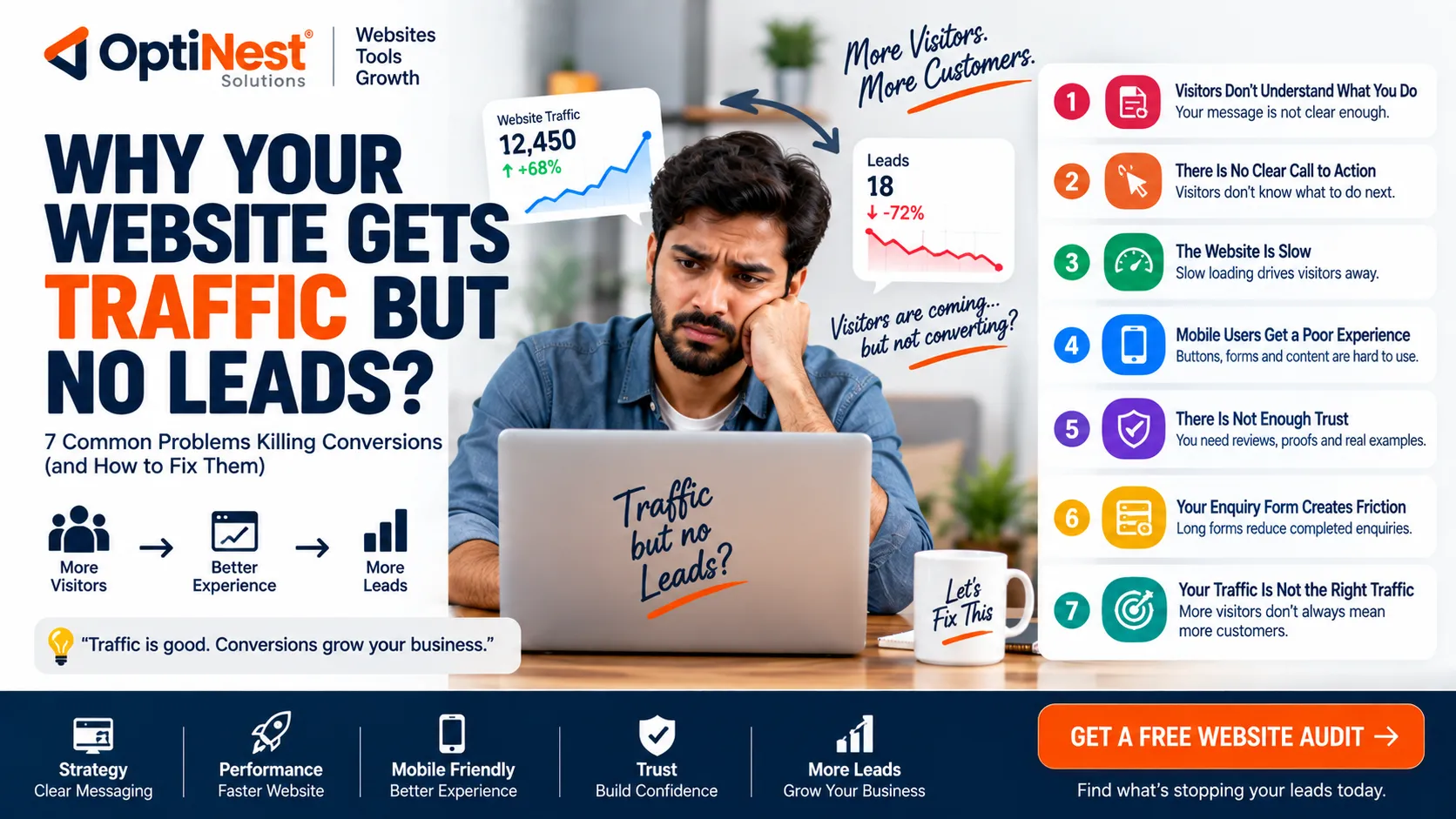
    ❌ 1. Visitors Don’t Understand What You Do

    Your homepage should quickly explain what you offer, who you help and why someone should contact you.

    ❌ 2. There Is No Clear Call to Action

    Visitors may be interested but still not know whether to call, WhatsApp, request a quote or book a consultation.

    ❌ 3. The Website Is Slow

    Large images, unnecessary scripts and poor hosting can create friction, especially on mobile connections.

    ❌ 4. Mobile Users Get a Poor Experience

    Buttons, forms, menus and important information need to work comfortably on smaller screens.

    ❌ 5. There Is Not Enough Trust

    Visitors need evidence that your business is genuine and capable before sharing their details.

    ❌ 6. Your Enquiry Form Creates Friction

    Long forms and unnecessary questions can reduce completed enquiries.

    ❌ 7. Your Traffic Is Not the Right Traffic

    More visitors do not automatically mean more customers. SEO needs to attract people who actually need your service.

    1. Your Homepage Does Not Explain the Offer Quickly

    A new visitor should quickly understand what you offer, who you serve and what they should do next. A vague headline may sound professional but fail to communicate the actual service.

    • State the main service clearly.
    • Identify the customer or industry you serve.
    • Explain the main benefit.
    • Place a clear action button nearby.

    2. There Is No Strong Call to Action

    Depending on the business, the primary CTA could be Get a Quote, Book a Call, WhatsApp Us, Request a Demo or Start Your Project.

    Do not hide the CTA at the bottom of a long page. Important conversion actions should appear naturally throughout the customer journey.

    3. Your Website Is Too Slow

    A slow website creates friction before the visitor even reads your offer. Google recommends good Core Web Vitals as part of providing a strong page experience.

    Common causes include oversized images, excessive scripts, inefficient code, third-party widgets and poor hosting configuration.

    Easy first step: compress large images and use modern image formats where appropriate. The OptiNest Free Tools collection includes image compression, resizing and JPG/PNG/WebP conversion tools.

    4. Your Mobile Experience Is Weak

    A website may look excellent on desktop and still be difficult to use on a phone. Check for tiny text, hard-to-tap buttons, horizontal scrolling, intrusive pop-ups, slow loading and uncomfortable forms.

    5. Visitors Don’t Trust the Business Yet

    People do not automatically trust an unfamiliar company just because it has a website.

    • Real testimonials
    • Case studies
    • Client or project examples
    • Clear contact information
    • Business details
    • Relevant experience or certifications
    • Transparent service information

    6. Your Enquiry Form Is Too Complicated

    A visitor who is ready to contact you should not have to complete a ten-field form just to ask a simple question. Ask only for information that is genuinely useful at the first stage.

    If your business depends heavily on WhatsApp, make that option visible instead of forcing every visitor through a long form.

    7. You’re Getting the Wrong Traffic

    Traffic is not the same as demand. A web-development company may receive thousands of visitors searching for free templates and still generate almost no sales enquiries.

    Your SEO and content strategy should attract people with problems your business can actually solve.

    How to Find the Real Problem

    What you observePossible problem
    High traffic + few enquiriesWeak offer, CTA or traffic quality
    Visitors leave quicklyPoor relevance, slow page or unclear message
    Many service-page visitsCheck trust and conversion elements
    Form starts but few submissionsToo much friction
    Mobile traffic but few leadsMobile UX or CTA problem

    Use Free Tools Before Paying for an Audit

    You do not need an expensive software subscription to start checking and improving a website.

    The OptiNest Free Tools collection includes image compression, image resizing, JPG/PNG/WebP conversion, developer utilities, a Meta Tag Generator, PDF tools and other useful utilities.

    For example, compressing oversized images and converting them to an appropriate modern format can be a simple first step toward reducing page weight.

    What About SEO?

    SEO can bring qualified visitors, but SEO alone does not guarantee leads. Google recommends helpful, reliable, people-first content rather than creating pages simply to attract search traffic.

    Your SEO strategy should match the business objective. Target searches from people who actually need your services—not just searches that happen to have high volume.

    Simple Website Conversion Checklist

    • Can a new visitor understand your service immediately?
    • Is the main CTA obvious?
    • Does the website work properly on mobile?
    • Are important pages reasonably fast?
    • Are large images compressed?
    • Do visitors see genuine trust signals?
    • Is the enquiry form short enough?
    • Is WhatsApp or your preferred contact option easy to find?
    • Are your SEO visitors potential customers?
    • Do you measure enquiries, not just traffic?

    When Should You Redesign Your Website?

    A redesign is worth considering when the current website cannot clearly communicate your offer, performs poorly on mobile, is difficult to maintain, uses outdated technology or consistently fails to turn relevant visitors into enquiries.

    But redesigning the website should not be the automatic answer to every conversion problem. Sometimes the better solution is improving the message, CTA, page speed, forms, SEO targeting or tracking.

    Final Verdict

    If your website gets traffic but produces few leads, don’t immediately assume you need more traffic.

    First check the offer, CTA, speed, mobile experience, trust, enquiry process and traffic quality. Fixing one major conversion bottleneck can be more valuable than doubling your visitor count.

    If the underlying website needs deeper development, SEO or conversion work, OptiNest Solutions can help businesses build and improve websites around real business goals.

    Frequently Asked Questions

    Why does my website get traffic but no enquiries?

    The most common reasons are an unclear offer, weak calls to action, poor trust signals, slow or difficult mobile experiences, complicated forms or traffic that does not match your target customer.

    Does more website traffic mean more leads?

    No. Relevant traffic is more valuable than raw traffic. A smaller audience with strong purchase intent can generate more leads than thousands of visitors looking for something else.

    Can website speed affect conversions?

    Yes. Slow pages create friction and can cause visitors to leave before engaging with your offer.

    How can I improve my website without redesigning it?

    Start with the homepage message, CTA placement, image sizes, mobile layout, trust signals and enquiry form. These changes can sometimes produce meaningful improvements without rebuilding the entire website.

    Are free website tools useful?

    Yes. Free tools can help with specific tasks such as image compression, resizing, format conversion and SEO metadata.
  • Business Website Development: What Every Website Actually Needs to Generate Leads

    Business Website Development: What Every Website Actually Needs to Generate Leads

    Most business websites in India look fine. That’s the problem. They look fine, load slowly, say nothing specific, and quietly cost their owners enquiries every single day, and nobody notices it happening. A visitor lands, skims for three seconds, doesn’t find what they need fast enough, and leaves. No error message, no complaint. Just gone.

    If your website was built primarily to “look professional,” it’s probably doing that job well and almost nothing else. Here’s what actually separates a website that generates leads from one that just sits there.

    Why “It Looks Good” Isn’t Enough

    A website is judged in about the same time it takes to read this sentence. In that window, a visitor decides three things: is this relevant to me, do these people know what they’re doing, and what am I supposed to do next. Miss any one of those and the visit is over before it started.

    The businesses that get this wrong usually built their site around how they wanted to describe themselves, not around what a customer searching for their service actually needs to see first. That mismatch is invisible to the business owner and completely obvious to everyone else.

    What Actually Moves the Needle

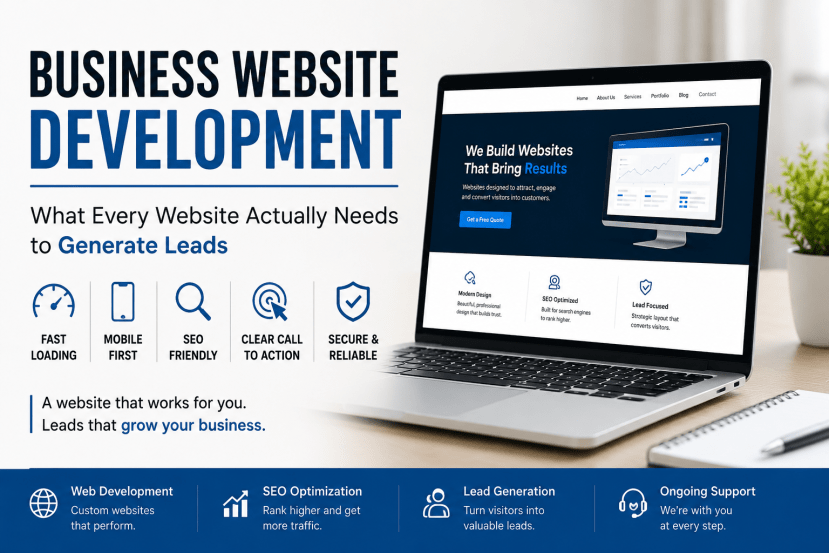
    Speed. Not “fast enough,” actually fast. Every extra second before a page loads pushes more people back to Google. Bloated page builders and uncompressed images are the usual culprits, and they’re avoidable with clean, custom-built code instead of a stacked theme with a dozen plugins fighting each other.

    Mobile first, not mobile-friendly. There’s a real difference between a site that technically resizes on a phone and one that was actually designed for a thumb and a small screen from the start. Most Indian search traffic is mobile now. If your site was designed on a widescreen monitor and shrunk down afterward, it shows.

    A structure search engines can actually read. This is where our SEO-friendly website design work usually starts, clean headings, sensible URLs, no orphaned pages Google can’t find a path to. You can bolt SEO onto a badly structured site later, but it costs more and works worse than building it in from day one.

    One clear next step per page. Not five competing buttons. Pick the one action you want, “Get a Quote,” “Start a Project,” whatever fits, and make it impossible to miss on every page, not just the homepage.

    Navigation: The Part Nobody Thinks About Until It’s a Mess

    A cluttered menu with a dozen items does the same thing a cluttered store shelf does, it makes people hesitate, and hesitation is where you lose them. If you offer several distinct services (say, web development, CRM software, and SEO), grouping those under clear categories in the nav, rather than a flat list of fifteen links, lets visitors self-sort into the right page in one click instead of three.

    Rule of thumb: if a genuinely important page is more than two clicks from your homepage, most visitors will never find it.

    Different Website Types Need Different Things

    Website Type Primary Job What It Needs Most
    Business website Establish credibility, generate enquiries Clear service pages, testimonials, fast load
    Corporate website Represent the brand at scale Structured navigation across departments
    Ecommerce store Convert browsers into buyers Simple checkout, minimal steps to purchase
    Landing page One campaign, one goal Zero distractions, single CTA, no full nav
    Custom web application Automate a specific business process Built around your actual workflow, not a generic template

    We cover the differences in more depth in our upcoming guide on custom web applications vs off-the-shelf software, if you’re trying to figure out which category your project actually falls into.

    Trust Signals: Why Two Good Testimonials Beat Ten Generic Ones

    “Great to work with, highly recommend” tells a visitor nothing. A testimonial that names the actual problem and the actual result, specifics, not adjectives, does the convincing work that vague praise never will. Put those near the relevant service section, not buried on a single “Testimonials” page nobody visits.

    Same goes for basic credibility markers people scan for without realizing it: a real phone number, a real address, clear information about how you actually work and price. Missing these doesn’t necessarily scream “untrustworthy,” it just quietly raises doubt, and doubt kills conversions.

    A Website Development Process That Doesn’t Skip the Boring Parts

    1. Discovery, actually understanding the business and its goals before opening a design tool
    2. Planning, mapping the structure and user journey, not just the visual look
    3. Design, building interfaces around your brand, not a generic template
    4. Development, clean, secure, responsive code
    5. Testing, real devices, real connection speeds, not just a resized browser window
    6. Launch and support, because a website isn’t done the day it goes live

    Skip discovery and planning, and you’ll end up with something that looks polished in a screenshot and underperforms in reality. This is the step most rushed projects cut, and it’s usually the reason they need a redesign within two years.

    What Happens After Launch (The Part Everyone Forgets)

    A website isn’t a one-time purchase. Search engines notice stale content. Visitors notice broken links and expired offers still sitting on the homepage. And an unmaintained site becomes a slowly growing security risk, not a dramatic one, just a quiet, compounding one that eventually costs more to fix than it would have to prevent.

    Budget for maintenance from the start. It’s cheaper than the alternative.

    Quick Answers

    How much does a business website cost in India?
    Depends entirely on scope, pages, features, integrations. Anyone quoting a flat number before understanding your actual requirements is guessing.

    How long does it take?
    Most standard business sites: a few weeks. Ecommerce or custom applications: longer, depending on complexity.

    Can I update the content myself later?
    If it’s built with a proper CMS or admin panel, yes, without calling a developer every time you need to change a sentence.

    Is SEO included, or is that separate?
    It should be built in from the start, clean code, proper structure, fast load times, not treated as an add-on project six months later.

    A business website that generates leads isn’t the prettiest one. It’s the one built around how your actual customers search, decide, and act, fast, mobile-first, structured for search engines, and clear about what to do next on every single page.

    We build business websites, corporate sites, and custom web applications around exactly that. Start a project with us, or explore our full Web Development services.