Freelancers in 2026 do not need dozens of AI apps they will never use. What they need is a small toolkit that removes repetitive work without adding another expensive monthly subscription.
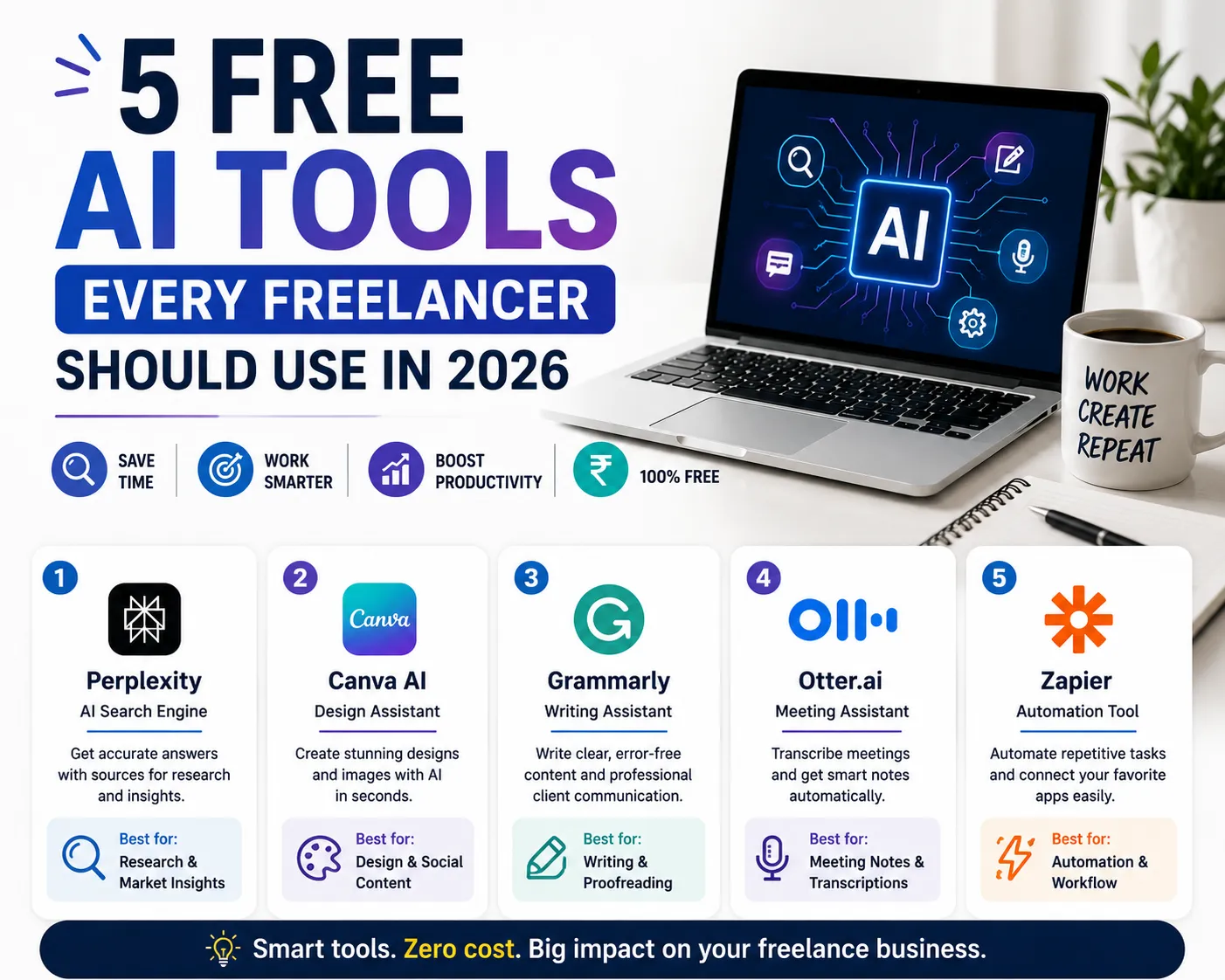
We selected five tools that solve five different freelance problems: research, design, writing, meeting notes and automation.
5 Free AI Tools for Freelancers in 2026
1. Perplexity
Best for: Client and market research
Free access: Free Standard plan
What it does: AI-powered search helps freelancers research industries, competitors, topics and client requirements quickly.
Limitations: Advanced searches and some premium capabilities are limited on the free plan.
Freelancer use cases: Industry research, competitor research, content research and fact checking.
2. Canva AI
Best for: Design and social media content
Free access: Free Canva account with limited AI usage
What it does: Helps freelancers create social graphics, presentations, blog visuals and other marketing assets.
Limitations: AI usage and some premium design elements are limited depending on the plan.
Freelancer use cases: Social media posts, presentations, thumbnails, advertisements and blog featured images.
3. Grammarly
Best for: Client emails and proofreading
Free access: $0/month Free plan
What it does: Helps improve spelling, grammar, clarity and professional communication.
Limitations: Advanced rewriting and other premium capabilities require a paid plan.
Freelancer use cases: Client emails, proposals, reports, website copy and LinkedIn posts.
4. Otter.ai
Best for: Client meeting notes
Free access: Free plan available
What it does: Transcribes meetings and turns conversations into searchable notes.
Limitations: The free plan has transcription and usage limits.
Freelancer use cases: Discovery calls, project meetings, interviews, summaries and action items.
5. Zapier
Best for: Repetitive task automation
Free access: Free plan with limited monthly tasks
What it does: Connects apps so routine actions such as lead capture, notifications and spreadsheet updates can happen automatically.
Limitations: The free plan is intended for simple automation and has monthly task limits.
Freelancer use cases: Lead capture, form notifications, follow-up tasks and moving data between apps.
Quick Freelancer Cheat Sheet
| Need | Use |
|---|---|
| Research | Perplexity |
| Design | Canva AI |
| Writing | Grammarly |
| Meeting notes | Otter.ai |
| Automation | Zapier |
How These Tools Can Save Freelancers Time
Research, writing, design, meetings and repetitive data entry can consume hours every week. Using the right tool for each job can reduce this repetitive workload and leave more time for billable work.
What “Free” Really Means
A free plan normally provides useful core features but limits usage, advanced features or AI credits. Before building an important business workflow around a free tool, check its current pricing, limits, privacy policy and commercial-use terms.
Should Freelancers Use AI for Client Work?
Yes, but AI should be treated as a productivity assistant rather than an autopilot. Verify important facts, review client-facing content and avoid uploading confidential information unless the service and your client agreement allow it.
When Should You Pay for an AI Tool?
Upgrade when a free limit is actually slowing down billable work or when a paid feature provides measurable business value.
Final Verdict
Start with Perplexity for research, Canva AI for visuals, Grammarly for communication, Otter.ai for meetings and Zapier for automation. Learn one workflow at a time and upgrade only when necessary.
Need Custom Software for Your Workflow?
If your freelance or agency workflow needs a custom website, CRM, lead-management system, automation or business software, OptiNest Solutions can build a solution around your process.
Frequently Asked Questions
What are the best free AI tools for freelancers in 2026?
Perplexity, Canva AI, Grammarly, Otter.ai and Zapier are useful starting points for research, design, writing, meetings and automation.
Are these AI tools really free?
All five have free-access options, but free plans have usage or feature limits.
Which free AI tool is best for freelancer research?
Perplexity is a strong option for research because its free account provides core search functionality with limited advanced features.
Can freelancers use Canva AI for client work?
Yes, subject to Canva’s current plan limits and applicable asset licensing.
Can Zapier automate freelancer leads for free?
Yes. Simple lead and administrative automations can be built within the current Free plan limits.