Category: AI Tools

  • PayU Agent HQ Launches in India: AI Agents for Small Businesses Explained

    PayU Agent HQ Launches in India: AI Agents for Small Businesses Explained

    PayU Agent HQ Launches in India

    AI is moving beyond chatbots and content generators. Businesses can now use AI agents for sales, customer service and operations.

    On September 10, 2026, PayU announced Agent HQ, an AI agent store designed for Indian small and medium-sized business merchants.

    What Is PayU Agent HQ?

    Agent HQ is designed around two areas: building an AI-ready growth engine and running business operations more efficiently.

    PayU describes it as a no-code, zero-integration experience inside its merchant environment.

    What Can Agent HQ Do?

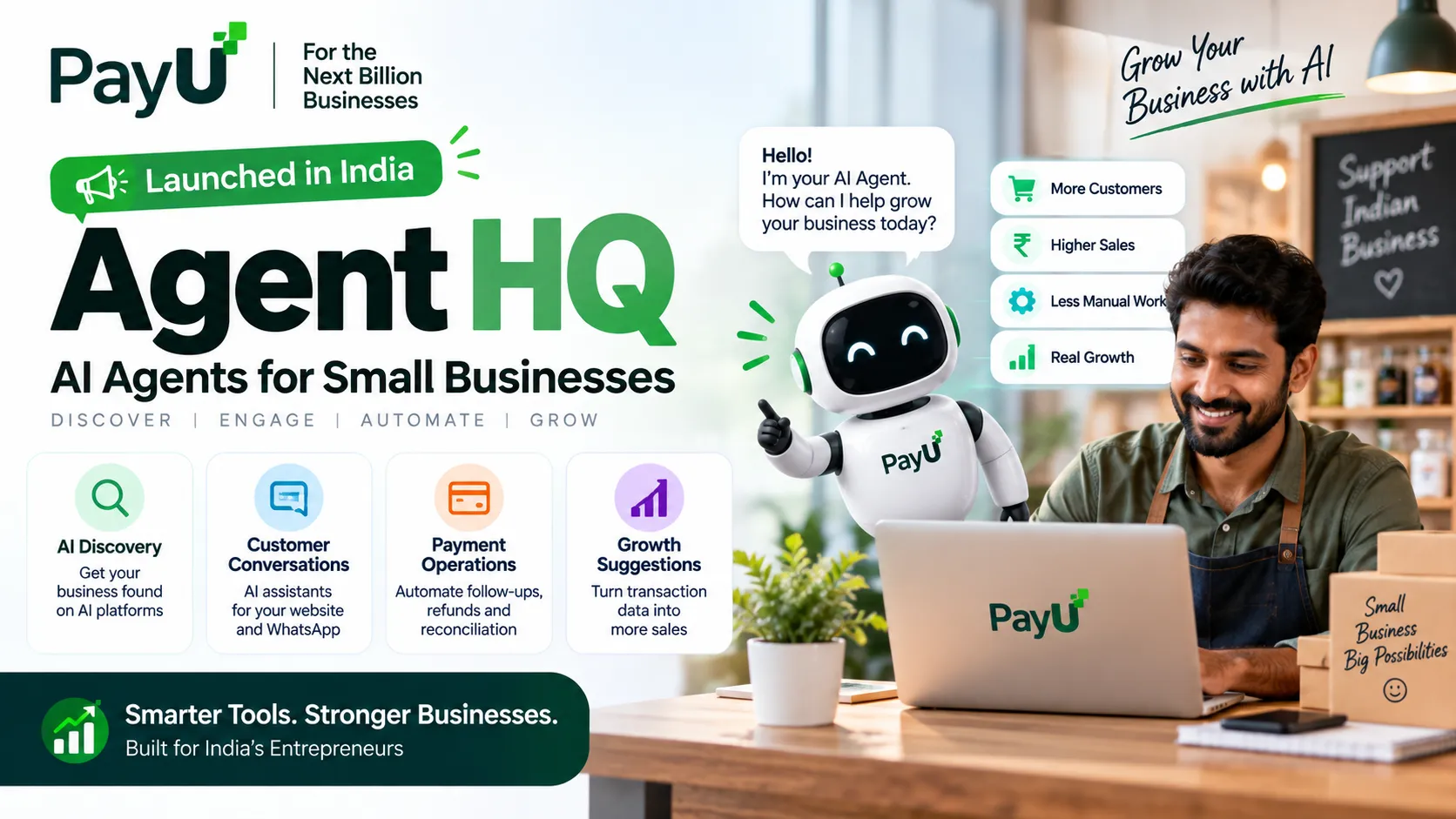
    πŸ€– AI Discovery

    Help merchants make products and services discoverable and transactable on AI platforms such as ChatGPT and Claude, and channels such as WhatsApp.

    πŸ’¬ Customer Conversations

    Create conversational AI assistants for websites, apps and customer journeys.

    πŸ’³ Payment Operations

    Assist with transaction follow-ups, chargeback reconciliation, refund escalations and settlements.

    πŸ“ˆ Growth Suggestions

    Use transaction patterns and shopper behaviour to suggest targeted sales and marketing campaigns.

    Why Is PayU Launching This Now?

    Customers are increasingly using AI assistants for recommendations, comparisons and shopping help. PayU is positioning Agent HQ around this emerging agentic commerce model.

    How Agent HQ Can Help a Small Business

    1. Get Ready for AI-Driven Discovery

    Businesses need to think beyond traditional search visibility as customers increasingly ask AI assistants what to buy.

    2. Reduce Repetitive Customer Support

    Conversational assistants can handle common questions and post-purchase queries.

    3. Automate Payment Operations

    Payment follow-ups, reconciliation, refunds and chargebacks can consume operational time.

    4. Turn Transaction Data Into Actions

    PayU says agents can use payment and shopper patterns to suggest business actions.

    Does Agent HQ Require Coding?

    PayU says Agent HQ is designed as a no-code, zero-integration experience for its merchants.

    Can Businesses Build Their Own AI Assistant?

    Yes. PayU says merchants can create custom conversational AI assistants for websites, apps and customer journeys.

    Who Is PayU Agent HQ Best For?

    • Indian small and medium-sized online businesses
    • E-commerce merchants using PayU
    • Businesses handling large volumes of customer questions
    • Merchants preparing for AI-led product discovery
    • Businesses with repetitive payment operations

    Who May Need More Than Agent HQ?

    Agent HQ is focused on merchant and commerce workflows. Businesses needing a complete CRM, ERP, hotel PMS, travel system or highly customized internal workflow may still need dedicated software.

    PayU Agent HQ vs Traditional Automation

    NeedTraditionalAgent HQ
    Customer questionsManual supportConversational AI
    Payment follow-upsManual trackingAI agent
    ReconciliationOperational workAI-assisted operations
    AI discoveryTraditional web presenceAI-ready commerce

    Is PayU Agent HQ Free?

    PayU’s launch announcement does not publish a simple public subscription price. Availability and commercial terms may depend on the merchant and specific service. Check the PayU merchant dashboard or contact PayU for current terms.

    What This Means for Indian Businesses

    The bigger story is that AI agents are moving into actual business operations. Software can increasingly monitor events, answer customers, recommend actions and handle repetitive tasks within defined boundaries.

    But Should You Let AI Handle Payments?

    Businesses should understand permissions, approval controls, audit trails, data handling and failure scenarios before allowing automation to perform sensitive financial actions. Low-risk support tasks are generally easier to automate than payment actions.

    Our Verdict

    PayU Agent HQ is a significant development for Indian SMBs because it makes AI agents feel more like business software than an experimental chatbot.

    The strongest approach is to use AI agents alongside a reliable business technology stack, with human oversight for important decisions.

    Frequently Asked Questions

    What is PayU Agent HQ?

    It is an AI agent store launched for Indian SMB merchants, offering agents for growth, customer interactions and payment operations.

    Does it require coding?

    PayU describes the packaged Agent HQ experience as no-code and zero-integration.

    Can it help businesses appear on ChatGPT?

    PayU says Agent HQ can help merchants make products and services discoverable and transactable on AI platforms including ChatGPT and Claude.

    Can businesses create their own AI assistant?

    Yes, PayU says merchants can create conversational AI assistants for websites, apps and customer journeys.

    Does it replace a CRM or ERP?

    No. Businesses with complex internal processes may still need CRM, ERP or custom software.

    Need custom AI, CRM or business automation? Explore OptiNest Solutions for custom websites, CRM, ERP, SEO and business software.
  • RankYak Launches: AI SEO Platform That Researches, Writes & Publishes Content Automatically

    RankYak Launches: AI SEO Platform That Researches, Writes & Publishes Content Automatically

    RankYak Launches an AI SEO Platform Built to Run the Whole SEO Workflow

    SEO normally requires several separate jobs: keyword research, content planning, writing, publishing, optimization and link building. RankYak is an AI SEO platform that combines those steps into one workflow.

    Its positioning is simple: connect a website, let RankYak research opportunities, create SEO articles, publish them and keep watching performance after publication.

    The platform’s launch was announced on September 2, 2026, and it is aimed particularly at small businesses, startups and agencies that want to reduce manual SEO work.

    What Is RankYak?

    RankYak is an AI-powered SEO automation platform. Its current product documentation covers keyword discovery, content planning, article generation, publishing, ongoing page optimization and backlink exchange.

    What Can RankYak Actually Do?

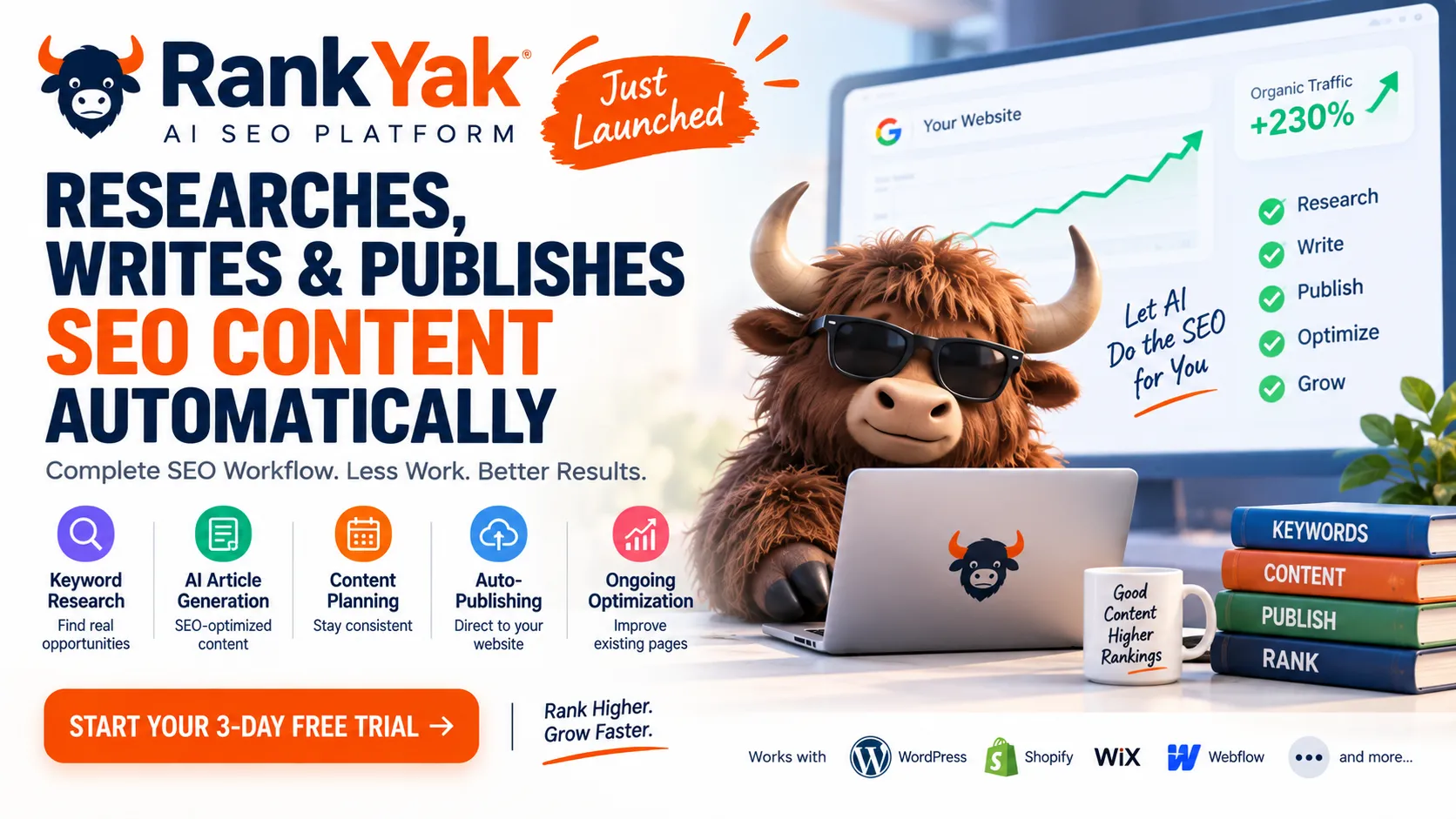
    πŸ”Ž Keyword Research

    Finds keywords based on a site’s niche, competitors and authority, then organizes opportunities into topical clusters.

    πŸ“ AI Article Generation

    Starts with live SERP research and search-intent analysis before writing in the site’s brand voice.

    πŸ“… Content Planning

    Creates a monthly publishing plan and lets users reschedule planned articles.

    πŸš€ Auto-Publishing

    Can publish directly to supported CMS platforms or save articles as drafts for review.

    πŸ“ˆ Ongoing Optimization

    Uses Search Console data to identify pages losing performance and prepare optimization on the same URL.

    1. Keyword Research Based on Your Website

    RankYak’s keyword planning is designed around the individual website rather than a generic keyword list. It considers niche, competitors and authority, then groups keywords into topical maps.

    2. It Researches Before Writing

    RankYak says every article begins with live SERP analysis. It studies pages currently ranking for the target keyword, identifies search intent and determines an appropriate structure and length before generating the article.

    The platform also says articles can include citations, internal links, external links, images and YouTube embeds.

    3. RankYak Can Publish Directly to Your Website

    Instead of generating an article and leaving the user to copy and paste it into WordPress, RankYak supports direct publishing. Current integrations include WordPress, Shopify, Wix, Webflow and WordPress.com, with Zapier, Make, RSS, REST API and webhooks for additional workflows.

    4. You Can Choose Drafts Instead of Automatic Publishing

    RankYak provides a draft mode where articles wait for human approval before going live. For businesses, this is the safer approach: use AI for research and production speed, but keep a human review step for important pages.

    5. Site Guard Watches Existing Pages

    RankYak’s Site Guard uses Search Console data to identify pages that are losing performance. Its Page Guard can prepare fixes for weak titles, descriptions and content.

    How Much Does RankYak Cost?

    At the time of research, RankYak lists $99 per month per website on its Pro plan. The annual option is shown as $82.50 per month when billed annually, with two months free. A 3-day free trial is currently advertised.

    The plan includes up to one SEO/GEO article per day on selected publishing days, keyword research, content planning, publishing integrations and automatic content optimization. Pricing can change, so check the official pricing page before purchasing.

    Is RankYak Free?

    RankYak is not a permanently free SEO platform. Its current offer is a paid subscription with a 3-day free trial.

    Who Should Use RankYak?

    • Small businesses without an in-house SEO team
    • Freelancers managing SEO for websites
    • Marketing agencies handling multiple client websites
    • Startups that need consistent organic content
    • Website owners who struggle to publish consistently

    Who Should Probably Not Use It?

    RankYak may not be ideal for businesses that require extensive editorial control, highly specialized research, legal review or complex multi-stage publishing approval.

    RankYak vs a Traditional SEO Workflow

    TaskTraditional workflowRankYak approach
    Keyword researchManual tools & spreadsheetsAutomated site-specific research
    Content planningManual calendarAutomated content plan
    WritingWriter or separate AI toolBuilt-in AI generation
    PublishingManual uploadCMS integrations
    OptimizationManual monitoringSearch Console-driven optimization

    Can RankYak Replace an SEO Specialist?

    No β€” and businesses should not think about it that way. RankYak can automate repetitive execution work, but SEO still requires decisions about positioning, brand, conversion strategy, technical issues, information quality and business goals.

    A better way to think about it is: RankYak can reduce manual SEO production work, while a human remains responsible for strategy and quality.

    What About AI Search Visibility?

    RankYak positions its articles for both traditional search and AI search. However, no platform can guarantee that an article will be cited by ChatGPT, Google or another AI system. Visibility depends on content quality, relevance, authority and how search systems evolve.

    Our Verdict

    RankYak is interesting because it moves beyond the usual AI writer model. Its goal is to automate the entire SEO production pipeline β€” from keyword research to publishing and post-publication optimization.

    For a small business that struggles to publish consistently, it could save substantial manual work. For an agency, the bigger attraction is the ability to standardize SEO production across multiple websites.

    But automation should not mean β€œpublish everything without checking.” The strongest workflow is still AI-assisted execution + human strategy + human quality control.

    Frequently Asked Questions

    What is RankYak?

    RankYak is an AI SEO automation platform that combines keyword research, content planning, article generation, publishing and ongoing optimization.

    How much does RankYak cost?

    The current Pro price is $99 per month per website, with an annual option and a 3-day free trial. Pricing should be checked on the official website because plans can change.

    Can RankYak publish to WordPress?

    Yes. RankYak currently lists WordPress among its direct CMS integrations.

    Can I review articles before publishing?

    Yes. RankYak supports draft publishing so users can review an article before it goes live.

    Is RankYak completely free?

    No. It currently offers a 3-day free trial rather than a permanent free plan.

    Is AI-generated content enough for SEO?

    AI can accelerate content production, but successful SEO still requires useful information, originality, technical health, authority, good internal linking and ongoing performance analysis.

    Want SEO and website automation built around your business? Explore OptiNest Solutions for SEO, custom websites, CRM and business software solutions.

  • 5 Free AI Tools Every Freelancer Should Use in 2026

    5 Free AI Tools Every Freelancer Should Use in 2026

    Freelancers in 2026 do not need dozens of AI apps they will never use. What they need is a small toolkit that removes repetitive work without adding another expensive monthly subscription.

    We selected five tools that solve five different freelance problems: research, design, writing, meeting notes and automation.

    5 Free AI Tools for Freelancers in 2026

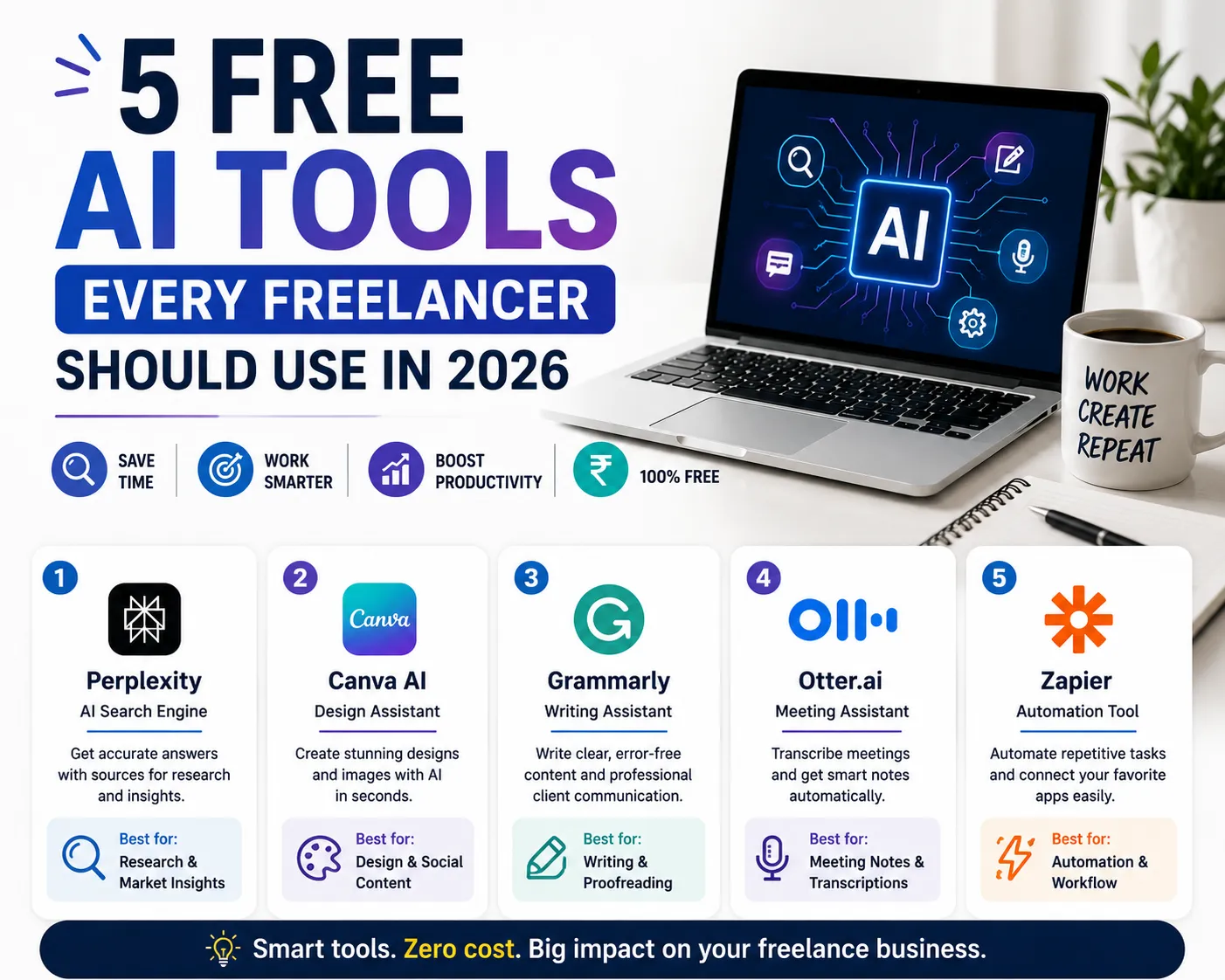
    1. Perplexity

    Best for: Client and market research

    Free access: Free Standard plan

    What it does: AI-powered search helps freelancers research industries, competitors, topics and client requirements quickly.

    Limitations: Advanced searches and some premium capabilities are limited on the free plan.

    Freelancer use cases: Industry research, competitor research, content research and fact checking.

    2. Canva AI

    Best for: Design and social media content

    Free access: Free Canva account with limited AI usage

    What it does: Helps freelancers create social graphics, presentations, blog visuals and other marketing assets.

    Limitations: AI usage and some premium design elements are limited depending on the plan.

    Freelancer use cases: Social media posts, presentations, thumbnails, advertisements and blog featured images.

    3. Grammarly

    Best for: Client emails and proofreading

    Free access: $0/month Free plan

    What it does: Helps improve spelling, grammar, clarity and professional communication.

    Limitations: Advanced rewriting and other premium capabilities require a paid plan.

    Freelancer use cases: Client emails, proposals, reports, website copy and LinkedIn posts.

    4. Otter.ai

    Best for: Client meeting notes

    Free access: Free plan available

    What it does: Transcribes meetings and turns conversations into searchable notes.

    Limitations: The free plan has transcription and usage limits.

    Freelancer use cases: Discovery calls, project meetings, interviews, summaries and action items.

    5. Zapier

    Best for: Repetitive task automation

    Free access: Free plan with limited monthly tasks

    What it does: Connects apps so routine actions such as lead capture, notifications and spreadsheet updates can happen automatically.

    Limitations: The free plan is intended for simple automation and has monthly task limits.

    Freelancer use cases: Lead capture, form notifications, follow-up tasks and moving data between apps.

    Quick Freelancer Cheat Sheet

    NeedUse
    ResearchPerplexity
    DesignCanva AI
    WritingGrammarly
    Meeting notesOtter.ai
    AutomationZapier

    How These Tools Can Save Freelancers Time

    Research, writing, design, meetings and repetitive data entry can consume hours every week. Using the right tool for each job can reduce this repetitive workload and leave more time for billable work.

    What β€œFree” Really Means

    A free plan normally provides useful core features but limits usage, advanced features or AI credits. Before building an important business workflow around a free tool, check its current pricing, limits, privacy policy and commercial-use terms.

    Should Freelancers Use AI for Client Work?

    Yes, but AI should be treated as a productivity assistant rather than an autopilot. Verify important facts, review client-facing content and avoid uploading confidential information unless the service and your client agreement allow it.

    When Should You Pay for an AI Tool?

    Upgrade when a free limit is actually slowing down billable work or when a paid feature provides measurable business value.

    Final Verdict

    Start with Perplexity for research, Canva AI for visuals, Grammarly for communication, Otter.ai for meetings and Zapier for automation. Learn one workflow at a time and upgrade only when necessary.

    Need Custom Software for Your Workflow?

    If your freelance or agency workflow needs a custom website, CRM, lead-management system, automation or business software, OptiNest Solutions can build a solution around your process.

    Explore OptiNest Solutions β†’

    Frequently Asked Questions

    What are the best free AI tools for freelancers in 2026?

    Perplexity, Canva AI, Grammarly, Otter.ai and Zapier are useful starting points for research, design, writing, meetings and automation.

    Are these AI tools really free?

    All five have free-access options, but free plans have usage or feature limits.

    Which free AI tool is best for freelancer research?

    Perplexity is a strong option for research because its free account provides core search functionality with limited advanced features.

    Can freelancers use Canva AI for client work?

    Yes, subject to Canva’s current plan limits and applicable asset licensing.

    Can Zapier automate freelancer leads for free?

    Yes. Simple lead and administrative automations can be built within the current Free plan limits.