
How to Check Your Website SEO for Free
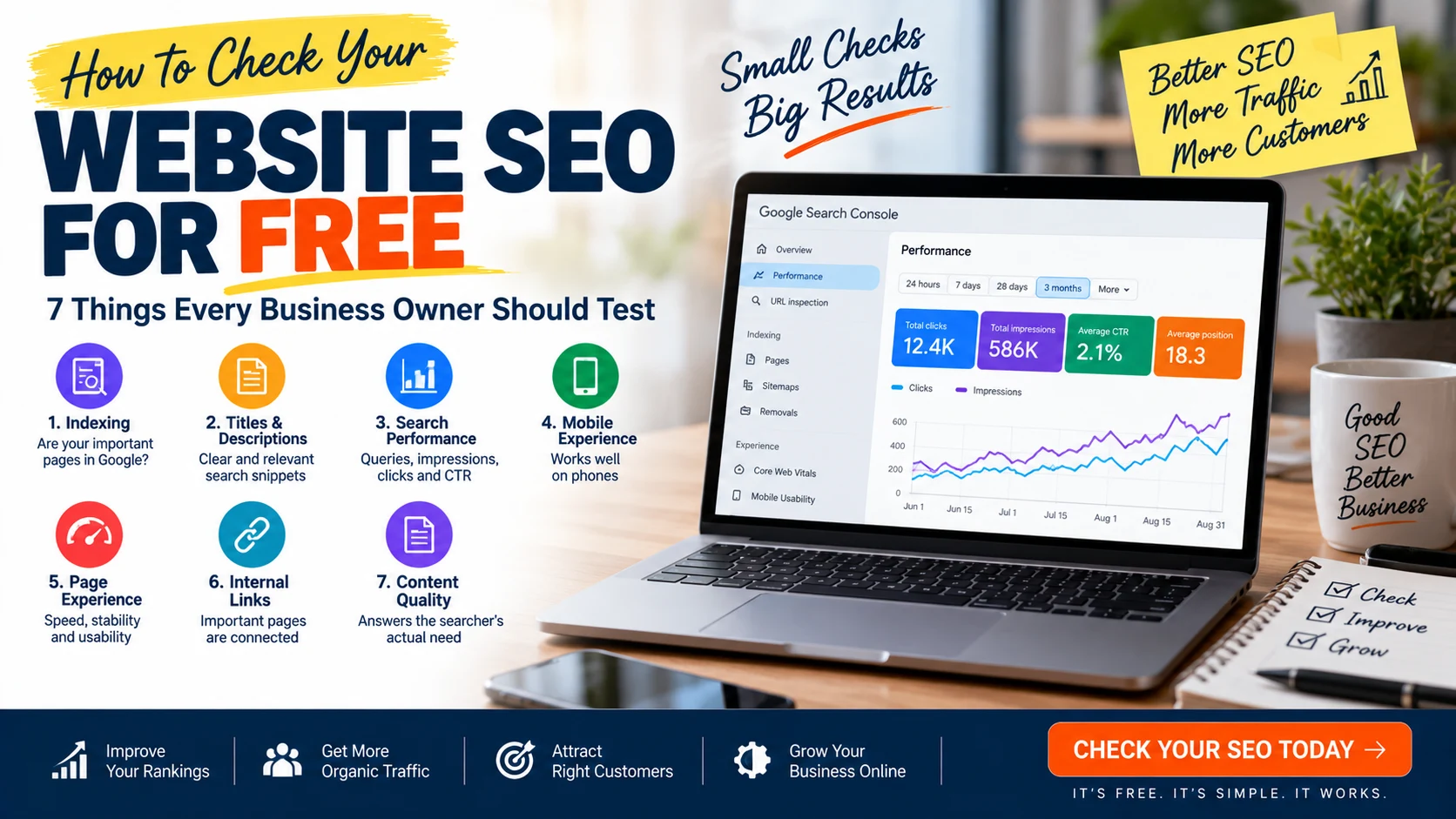
You do not need an expensive SEO subscription to find many important problems on a business website. Google Search Console can show clicks, impressions, queries, pages, CTR and average position.
Along with Search Console, a few simple checks can reveal whether your pages are accessible, understandable to search engines and useful to visitors.
7 Things to Check First
| Check | What to Look For |
|---|---|
| 1. Indexing | Important pages can appear in Google |
| 2. Titles & descriptions | Clear and relevant search snippets |
| 3. Search performance | Queries, impressions, clicks and CTR |
| 4. Mobile experience | Pages work comfortably on phones |
| 5. Page experience | Speed, stability and usability |
| 6. Internal links | Important pages connect logically |
| 7. Content quality | Pages satisfy the searcher’s actual need |
1. Check Whether Your Important Pages Are Indexed
Start with your homepage, important service pages, category pages and useful blog posts. If an important page cannot appear in Google, improving its keywords will not solve the basic problem.
Remember that indexed does not mean ranked. A page can be indexed and still receive little or no organic traffic.
2. Check Your Page Titles and Meta Descriptions
Your title helps search engines and users understand what a page is about. The description can help make a result more useful and attractive.
- Does the title describe the actual page?
- Does it contain the main topic naturally?
- Is it written for humans rather than stuffed with keywords?
- Does the description accurately summarize the page?
- Would you click this result in Google?
OptiNest provides a free Meta Tag Generator as part of its Free Tools collection.
3. Use Google Search Console to Check Real Search Data
The Performance report shows clicks, impressions, CTR and average position, and lets you analyze queries and pages.
Look for pages getting impressions but very few clicks, relevant queries, pages gaining or losing clicks, and important pages with little search visibility.
4. Check Your Website on a Mobile Phone
Open important pages on an actual smartphone. Check text size, buttons, menus, forms, images, horizontal scrolling and intrusive pop-ups.
5. Check Speed and Page Experience
Performance matters for users. Large images are one common source of unnecessary page weight.
You can use the OptiNest Free Tools to compress, resize and convert images between JPG, PNG and WebP formats.
6. Check Internal Links
Internal links connect related pages on your website. Important service pages should not be isolated. Blog posts can naturally link to relevant services, guides and useful tools.
7. Check Whether Your Content Actually Answers the Search
Technical SEO cannot rescue content that does not satisfy the visitor. Ask whether the page answers the main question, provides useful information, is easy to scan and gives the visitor a logical next step.
Bonus: Check Your Website for AI Search Visibility
Google Search Console includes reporting for visibility in Google’s AI search experiences when sufficient data is available for a site.
Free SEO Check vs Paid SEO Tools
| Need | Free Starting Point |
|---|---|
| Search performance | Google Search Console |
| Indexing investigation | Search Console |
| Meta tags | OptiNest Meta Tag Generator |
| Image optimization | OptiNest Image Tools |
| Deeper competitor research | Paid SEO platforms can add more data |
Final SEO Checklist
- Important pages can be indexed
- Page titles describe the topic
- Meta descriptions are useful
- Search Console is connected
- Relevant queries generate impressions
- High-impression pages have reasonable CTR
- Pages work properly on mobile
- Images are optimized
- Internal links connect important pages
- Content genuinely answers the user’s search
Final Verdict
You can discover a surprising number of SEO problems without paying for an expensive SEO platform. Start with Google Search Console + basic technical checks + useful content + free tools.
For businesses that need deeper website development, SEO or conversion optimization, OptiNest Solutions provides website and digital solutions designed around business goals.
Frequently Asked Questions
Can I check my website SEO for free?
Yes. Google Search Console provides valuable search-performance and indexing information at no cost.
What is a good free SEO tool?
Google Search Console is one of the best starting points because it provides first-party data about how your website appears in Google Search.
How do I know if my pages get Google traffic?
Use the Performance report in Search Console and review clicks, impressions, CTR, queries and pages.
Can I check meta tags for free?
Yes. You can inspect page source and use the OptiNest Free Meta Tag Generator to prepare basic metadata.
Does an indexed page automatically rank?
No. Indexing only means the page is eligible to appear. Ranking depends on many factors including relevance, quality, competition and search intent.